
Best FHD 1080p Monitors in 2026: 15 Picks Compared on Specs
The Dell SE2726HG is our top pick for a full HD monitor: a 27-inch IPS screen with a 240Hz refresh rate that works for gaming and daily productivity. It offers the highest refresh rate among the 27-inch picks and a panel type that combines good color and wide viewing angles. To choose the rest, we compared 100 FHD 1080p monitors in the catalog and filtered to 15 based on stated specifications, panel type, refresh rate, and size. Prices are live from the listing, and no unit was tested.
15 picks from 199 monitors that match this guide with a price we can quote today. All prices are live and show when they were read.
Our picks in brief
Find your match
- For esports on a budget: If you want a high refresh rate without paying a premium for a large screen, the AOC 24G42HE delivers a 200Hz IPS panel at 24 inches. See pick 2
- For portable productivity: The ARZOPA 16.1-inch portable monitor packs a 144Hz refresh rate and an IPS panel, making it a strong choice for gaming on the go. See pick 3
- For office and web work: The ViewSonic VA2456A-MHD pairs a 24-inch IPS panel with a 120Hz refresh rate, a good combination for spreadsheets and video calls. See pick 4
- For large curved displays: The LG 32MR50C-B is a 32-inch curved VA monitor with a 100Hz refresh rate, ideal for immersive work and entertainment. See pick 12
15 picks, up close
1 Best overall

Dell 27 240Hz Gaming Monitor
- Size
- 27 in
- Resolution
- FHD 1080p
- Refresh
- 240 Hz
- Panel
- IPS
$149.99 (as of 10/24/2026 12:19 PDT - Details)
The Dell SE2726HG offers a 27-inch IPS panel with a 240Hz refresh rate, the highest refresh rate among all 27-inch picks in this list. It pairs a large screen with fast motion handling, making it suitable for both competitive gaming and everyday work. Its IPS technology provides better color and viewing angles than the VA panels used in several other picks.
Pros
- 240Hz refresh rate, the highest in this list
- 27-inch IPS panel
- Good size for a main display
- Works for gaming and office tasks
Cons
- Panel type is IPS, but seller does not state response time
- No built-in speakers mentioned by seller
- No USB-C port mentioned by seller
Good fit if
- Serious gamers who want a large, fast monitor
- Users who need a single display for both work and play
Skip if
- You need a compact monitor for a small desk
- You want a curved screen or an ultrawide aspect ratio
Verdict: A versatile 27-inch FHD monitor with a 240Hz refresh rate, ideal for gamers and multitaskers.
2 Best for competitive gaming

AOC 24" Gaming Monitor FHD 200Hz IPS NVIDIA G-SYNC Compatible 0.3ms
- Size
- 24 in
- Resolution
- FHD 1080p
- Refresh
- 200 Hz
- Panel
- IPS
$99.99 (as of 10/24/2026 11:40 PDT - Details)
The AOC 24G42HE delivers a 200Hz refresh rate on a 24-inch IPS panel, one of the highest refresh rates in this list. It also claims a 0.3ms response time, the fastest stated in this selection, making it a strong choice for fast-paced esports titles. The seller also lists NVIDIA G-SYNC compatibility, which helps with tear-free gameplay.
Pros
- 200Hz refresh rate
- 0.3ms response time as stated by seller
- 24-inch IPS panel
- NVIDIA G-SYNC compatible as stated by seller
Cons
- No built-in speakers mentioned
- Only 24-inch diagonal
- Response time is a marketing figure, not independently verified
Good fit if
- Esports players who want the fastest response
- Gamers with mid-range GPUs that can push high frame rates
Skip if
- You want a larger screen
- You need USB-C connectivity or a built-in KVM switch
Verdict: A compact, high-refresh monitor built for competitive esports and fast action.
3 Best portable gaming

ARZOPA 16.1'' 144Hz Portable Gaming Monitor 106% sRGB-Z1FC Gray
- Size
- 16.1 in
- Resolution
- FHD 1080p
- Refresh
- 144 Hz
- Panel
- IPS
$109.98 (as of 10/24/2026 11:48 PDT - Details)
The ARZOPA 16.1-inch portable monitor offers a 144Hz refresh rate, the highest among the portable picks in this list. Its IPS panel and compact size make it a convenient second screen for laptops, and it is one of the few portable models with a high refresh rate, making it a standout for gaming on the go.
Pros
- 144Hz refresh rate for a portable monitor
- IPS panel
- 16.1-inch screen
- Good for gaming on the go
Cons
- Smaller than desktop monitors
- No stated HDR support
- No VESA mounting options mentioned by seller
Good fit if
- Travelers who want a gaming-capable second screen
- Laptop users who need a high-refresh external display
Skip if
- You need a large desktop monitor
- You only use the monitor for static office work and prefer a lower refresh rate to save power
Verdict: A compact 16.1-inch monitor that brings 144Hz gaming to a portable form factor.
4 Best for office productivity

ViewSonic VA2456A-MHD 24 Inch 1080p IPS Computer Monitor
- Size
- 24 in
- Resolution
- FHD 1080p
- Refresh
- 120 Hz
- Panel
- IPS
$109.99 (as of 10/24/2026 19:08 PDT - Details)
The ViewSonic VA2456A-MHD is a 24-inch IPS monitor with a 120Hz refresh rate, which makes scrolling and multitasking smoother than 60Hz models. It is a straightforward choice for office work, with no extra gaming features that add cost, and its IPS panel gives good color even from off-center angles.
Pros
- 120Hz refresh rate
- IPS panel
- 24-inch screen
- Simple design
Cons
- No built-in speakers mentioned by seller
- No USB-C port mentioned
- Only FHD resolution, fine for office but not for 1440p needs
Good fit if
- Office workers who stare at spreadsheets and documents all day
- Users who want a smooth, responsive desktop without gaming extras
Skip if
- You need a higher resolution for detailed design work
- You want a curved panel or built-in USB hub
Verdict: A crisp 24-inch IPS monitor with a 120Hz refresh rate, tuned for productivity.
5 Best for 180Hz gaming

Philips 24" Gaming Monitor FHD 180Hz Overlocked IPS HDR10
- Size
- 24 in
- Resolution
- FHD 1080p
- Refresh
- 180 Hz
- Panel
- IPS
$84.99 (as of 10/24/2026 17:11 PDT - Details)
The Philips 24E2G2200 hits 180Hz on a 24-inch IPS panel, a sweet spot for fast action without the cost of higher refresh rates. It also supports HDR10, a feature not found on all picks in this list, and its IPS panel keeps colors vibrant from side angles.
Pros
- 180Hz refresh rate
- IPS panel
- HDR10 support
- 24-inch size
Cons
- HDR performance depends on the maximum brightness, which is not stated
- No USB-C port mentioned by seller
- Only 24-inch diagonal
Good fit if
- Gamers who want a high refresh rate without climbing to 240Hz
- Users who enjoy HDR content and need an affordable display
Skip if
- You need a larger screen for immersive play
- Your GPU cannot exceed 144 frames per second in most games
Verdict: A 180Hz IPS monitor with HDR10, offering a strong balance of speed and image quality.
6 Best for large gaming and work
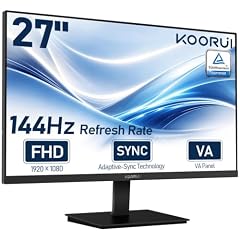
KOORUI 27-inch Computer Monitor
- Size
- 27 in
- Resolution
- FHD 1080p
- Refresh
- 144 Hz
- Panel
- VA
$129.99 (as of 10/24/2026 15:14 PDT - Details)
The KOORUI 27-inch monitor combines a 144Hz refresh rate with a VA panel, giving it a large screen and smooth motion. It is a versatile option for both gaming and productivity, and its size makes it a good replacement for a smaller office display, with a high contrast ratio typical of VA panels.
Pros
- 27-inch screen
- 144Hz refresh rate
- VA panel
- Good for work and play
Cons
- VA panel may have slightly worse viewing angles than IPS
- No stated USB-C port
- No curved design
Good fit if
- Users who want a large 1080p monitor for mixed use
- Gamers who need a high refresh rate on a budget
Skip if
- You need wide viewing angles for collaborative work
- You prefer IPS color accuracy for photo editing
Verdict: A 27-inch VA monitor with 144Hz, offering size and speed for a reasonable price.
7 Best budget 27-inch IPS

Acer 27in FHD 1920x1080 IPS 120Hz Gaming Monitor
- Size
- 27 in
- Resolution
- FHD 1080p
- Refresh
- 120 Hz
- Panel
- IPS
$99.99 (as of 10/24/2026 11:17 PDT - Details)
The Acer KB272 G0bi is a 27-inch IPS monitor with a 120Hz refresh rate, offering a large screen and smooth motion at a modest price. It is a good option for users who want a 27-inch display without stepping up to a 144Hz or higher model, and its IPS panel gives better viewing angles than many budget VA alternatives.
Pros
- 27-inch IPS panel
- 120Hz refresh rate
- Affordable choice for the size
- FHD resolution suits a 27-inch screen
Cons
- No built-in speakers mentioned by seller
- No USB-C port mentioned
- Refresh rate is lower than some 24-inch options
Good fit if
- Users who want a large 1080p monitor for everyday use
- Budget-conscious shoppers who still want a 27-inch screen
Skip if
- You need a high refresh rate above 120Hz
- You want a curved or ultrawide display
Verdict: A spacious 27-inch IPS monitor with a 120Hz refresh rate, an excellent value for mixed use.
8 Best compact gaming monitor

Sceptre New 22-Inch Gaming Monitor
- Size
- 22 in
- Resolution
- FHD 1080p
- Refresh
- 144 Hz
$64.98 (as of 10/24/2026 08:20 PDT - Details)
The Sceptre 22-inch gaming monitor offers a 144Hz refresh rate and built-in speakers, making it a compact and affordable choice for esports on a small desk. The seller does not list the panel type, but it includes HDMI and DisplayPort inputs, which are useful for connecting to multiple devices.
Pros
- 144Hz refresh rate
- Built-in speakers
- 22-inch screen ideal for small spaces
- HDMI and DisplayPort inputs
Cons
- Panel type not stated by the seller
- Smaller than 24-inch models
- No USB hub or USB-C port mentioned
Good fit if
- Gamers with limited desk space
- Users who want a secondary monitor for gaming
Skip if
- You need a large screen for immersive gaming
- You require an IPS panel for color accuracy
Verdict: A compact 22-inch monitor with a 144Hz refresh rate, perfect for tight setups.
9 Best for budget office use

Philips 24 Inch Computer Monitor FHD 100Hz VA VESA Flicker-Free
- Size
- 24 in
- Resolution
- FHD 1080p
- Refresh
- 100 Hz
- Panel
- VA
$79.99 (as of 10/24/2026 17:11 PDT - Details)
The Philips 241V8LB is a 24-inch VA monitor with a 100Hz refresh rate, offering a smooth picture for office tasks. It is one of the few picks with a VA panel, which typically provides better contrast for reading and static content, and its size is a good fit for most desks.
Pros
- 24-inch VA panel
- 100Hz refresh rate
- Flicker-free as stated by seller
- VESA mount support mentioned
Cons
- VA panel has limited viewing angles
- No USB-C port mentioned by seller
- Refresh rate is lower than some office alternatives
Good fit if
- Office workers who want a reliable, smooth display
- Users who prefer the contrast of a VA panel
Skip if
- You need wide viewing angles for collaborative work
- You want a higher refresh rate for gaming
Verdict: A practical 24-inch VA monitor with a 100Hz refresh rate, ideal for everyday office use.
10 Best for small desks

Lenovo R25I-30 Led Display 62.2 Cm
- Size
- 24.5 in
- Resolution
- FHD 1080p
$109.99 (as of 10/24/2026 16:06 PDT - Details)
The Lenovo R25I-30 is a 24.5-inch monitor with a 1920x1080 resolution, offering a middle ground between 24 and 27 inches. The seller does not state the refresh rate or panel type, but Lenovo is a trusted brand for business displays, and the size is a good compromise for tight spaces.
Pros
- 24.5-inch screen offers a compact footprint
- Lenovo brand reputation
- FHD resolution is adequate for this size
- Likely to have standard VESA mounting (not confirmed)
Cons
- Refresh rate and panel type not stated by the seller
- No USB-C port mentioned
- Limited information from the listing
Good fit if
- Users with limited desk space who want a reputable brand
- Office workers who need a simple, no-frills monitor
Skip if
- You need a high refresh rate
- You want a curved or IPS display specifically
Verdict: A compact 24.5-inch monitor from a reliable brand, though specs are sparse.
11 Best budget curved 27-inch

Great voell 27 Inch Curved Monitor
- Size
- 27 in
- Resolution
- FHD 1080p
- Refresh
- 120 Hz
- Panel
- VA
$99.99 (as of 10/24/2026 14:09 PDT - Details)
The Great voell 27-inch curved monitor offers a 120Hz refresh rate and a VA panel, combining an immersive curve with smooth motion. It supports HDR10 and is positioned for home office and gaming, making it a versatile choice for users who want a large display without a premium price.
Pros
- 27-inch curved VA panel
- 120Hz refresh rate
- HDR10 support
- Good for office and gaming
Cons
- VA panel has limited viewing angles
- No USB-C port mentioned
- Brand is less established, so support may be uncertain
Good fit if
- Users who want a curved 27-inch monitor on a budget
- Gamers who play a mix of titles and want smooth motion
Skip if
- You need a flat panel for accurate color work
- You prioritize brand reliability over price
Verdict: A curved 27-inch VA monitor with a 120Hz refresh rate and HDR10, offering strong value.
12 Best curved 32-inch display
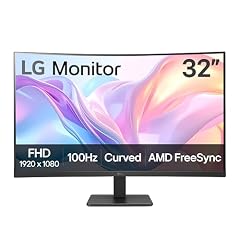
LG 32MR50C-B Curved Monitor 32-Inch FHD 100Hz AMD FreeSync OnScreen
- Size
- 32 in
- Resolution
- FHD 1080p
- Refresh
- 100 Hz
- Panel
- VA
$167.67 (as of 10/24/2026 16:07 PDT - Details)
The LG 32MR50C-B is a 32-inch curved VA monitor with a 100Hz refresh rate, offering an immersive viewing experience. It is the largest pick in this list, and its curve can help reduce distortion at the edges when sitting close, making it a good choice for a primary desktop display.
Pros
- 32-inch curved screen
- 100Hz refresh rate
- VA panel
- Large display for multitasking
Cons
- VA panel has limited viewing angles
- No USB-C port mentioned by seller
- Only FHD resolution on a large screen means lower pixel density
Good fit if
- Users who want a large, curved display for everyday work and movies
- People who like the aesthetic of a curved panel
Skip if
- You need a high refresh rate above 144Hz
- You require sharp text at close distances, which a 27-inch QHD would offer
Verdict: A 32-inch curved VA monitor that brings immersion and size to FHD.
13 Best curved office monitor

Samsung 27" Essential S3
- Size
- 27 in
- Resolution
- FHD 1080p
- Refresh
- 100 Hz
$129.99 (as of 10/24/2026 18:06 PDT - Details) Typical price: $137.30, 5% off
The Samsung S36GD series is a 27-inch curved monitor with a 100Hz refresh rate, designed for office use. Its curve is subtle and takes up less desk depth than a flat 27-inch monitor, though the seller does not list the panel type. It is a modern choice for productivity with a smooth 100Hz refresh rate.
Pros
- Curved 27-inch screen
- 100Hz refresh rate
- Slim design
- Suitable for office applications
Cons
- Panel type not stated by the seller
- No USB-C port mentioned by seller
- No VESA mount information
Good fit if
- Office workers who want a curved display with a gentle curve
- Users who value a slim profile and refresh rate above 60Hz
Skip if
- You need a known panel type for color work
- You want a flat screen to avoid any distortion
Verdict: A curved 27-inch office monitor with a 100Hz refresh rate, though the panel type is unspecified.
14 Best for business environments

ASUS BE249QG-R 24 Inch 1080P 120Hz Computer Monitor
- Size
- 24 in
- Resolution
- FHD 1080p
- Refresh
- 120 Hz
- Panel
- IPS
$156.99 (as of 10/24/2026 11:51 PDT - Details)
The ASUS BE249QG-R is a 24-inch IPS monitor with a 120Hz refresh rate and TAA compliance, making it a solid choice for corporate users who need a dependable display. It offers a balance of performance and reliability for work, and its IPS panel ensures consistent color from different angles.
Pros
- IPS panel
- 120Hz refresh rate
- TAA compliant as stated by seller
- Compact 24-inch size
Cons
- No USB-C port mentioned
- No built-in speakers mentioned
- Refresh rate may be overkill for some office tasks
Good fit if
- Business users who need a reliable, high-quality display
- IT departments that require TAA-compliant equipment
Skip if
- You need a larger screen
- You want a curved or ultra-wide monitor
Verdict: A dependable 24-inch IPS monitor with a 120Hz refresh rate, tailored for business use.
15 Best ultra-compact monitor

18.5 Inch FHD USB-C HDMI 120Hz Portable Monitor
- Size
- 18.5 in
- Resolution
- FHD 1080p
- Refresh
- 120 Hz
- Panel
- IPS
$135.99 (as of 10/24/2026 12:58 PDT - Details)
The COOLHOOD 18.5-inch portable monitor offers a 120Hz refresh rate and an IPS panel, making it a small but capable display for travel or as a secondary screen. It is one of the few portable picks with a refresh rate above 60Hz, though the seller does not list whether it has a built-in battery.
Pros
- 120Hz refresh rate on a portable monitor
- IPS panel
- 18.5-inch screen
- USB-C and HDMI inputs
Cons
- Smaller than typical portable monitors
- No stated battery or power adapter included
- Size may be too small for extended work
Good fit if
- Travelers who need a compact second screen
- Users who want a high refresh rate in a tiny form factor
Skip if
- You need a large screen for productivity
- You want a monitor with built-in speakers
Verdict: A compact 18.5-inch portable monitor with a 120Hz refresh rate, ideal for on-the-go productivity.
How they compare
Our selection method
We started with the full catalog of 100 FHD 1080p monitors and applied filters for panel type, refresh rate, and screen size, removing near-duplicate listings and obscure off-brand models. The 15 picks below are chosen for a range of use cases, from competitive gaming to portable productivity. Each pick's pros and cons are based on the seller's stated specifications, such as refresh rate, panel type, and input options. Prices and availability are read live from the store listing at the time of writing, and no monitor was physically tested or measured. For technical background, we relied on standards-body sources like the HDMI Forum for Variable Refresh Rate and VESA for DisplayHDR criteria, and we also used the ENERGY STAR guidelines for energy efficiency.
What matters when choosing
Refresh rate: match the monitor to your GPU
For gaming, the refresh rate determines how many frames per second your monitor can display. A 60Hz monitor can handle only 60 frames per second, while a 144Hz or 240Hz monitor keeps up with faster GPUs. HDMI Variable Refresh Rate (VRR) reduces tearing and stutter by syncing the monitor's refresh rate to the GPU's output, as described by the HDMI Forum. If you play competitive shooters, a higher refresh rate like 200Hz or 240Hz gives you a smoother, more responsive experience. For office work, 60Hz is often enough, but 100Hz or 120Hz makes scrolling feel noticeably smoother.
Panel type: IPS, VA, or something else
The three common panel types are IPS, VA, and TN. IPS panels offer the best color accuracy and wide viewing angles, making them a good default for office work and gaming. VA panels typically have higher contrast ratios, which makes them good for movies and dark games, but they suffer from narrower viewing angles. TN panels are rare in modern monitors and are mostly used for high-refresh esports displays. In this list, most picks use IPS or VA. The seller may not always state the panel type, and when that happens we note it as 'not stated by the seller'.
Size and resolution: why FHD is a good match for 24 inches
Full HD (1920x1080) has around 2 million pixels. On a 24-inch screen, that gives you a pixel density of about 92 pixels per inch, which is sharp enough for most office tasks and comfortable viewing distances. On a 27-inch screen, the same resolution has a lower pixel density, so text and icons may look slightly less crisp, but many users find it acceptable for everyday use. For 1080p gaming, a 24-inch or 27-inch monitor is a common choice. The ENERGY STAR guidance notes that 1080p is ideal for monitors 21 to 24 inches, but larger screens can still work well if you sit far enough away.
Curved vs. flat: what the curve does
A curved monitor wraps the screen slightly around your field of view, which can help reduce eye strain and make the edges easier to see, especially on larger screens. Curved VA panels are common in budget and mid-range monitors, and the curve is usually more pronounced on 32-inch or larger models. For a 27-inch screen, the curve is subtle and mostly a matter of preference. Flat panels are still the norm for competitive gaming because they avoid any geometric distortion, and they are easier to mount on a VESA arm.
Connectivity: HDMI, DisplayPort, and USB-C
Most monitors accept video over HDMI and DisplayPort. HDMI is the standard for connecting consoles and many laptops, while DisplayPort is often preferred for desktop PCs because it supports higher refresh rates at lower versions. For laptops, USB-C with Power Delivery can carry video, data, and power over a single cable, which is convenient for a clean setup. The USB-IF explains that USB Power Delivery can supply up to 240W over a single USB-C cable, but not all monitors advertise this feature. Check the specific ports on each monitor to see if they match your devices.
Energy efficiency: look for ENERGY STAR
Monitors that meet the ENERGY STAR criteria are on average 7% more energy efficient than standard models, according to the U.S. Environmental Protection Agency. ENERGY STAR certification sets limits on power consumption in On, Sleep, and Off modes, which can help lower your electricity bill over time. Many modern monitors are ENERGY STAR certified, but not all sellers highlight this. If energy use is a concern, look for the ENERGY STAR logo in the product specifications or on the packaging.
Questions
Is 1080p resolution outdated?
No, 1080p is still the most common resolution for PC monitors and remains a good choice for office work, web browsing, and many games. It is especially well suited for 24-inch and 27-inch screens, where it delivers a sharp image. For users who need more screen real estate for photo editing or programming, a 1440p or 4K monitor might be a better fit, but 1080p offers the best balance of price and performance for many people.
What refresh rate do I need for gaming?
For casual gaming, 60Hz is fine, but for fast-paced shooters and racing games, a 120Hz, 144Hz, or 240Hz monitor significantly improves motion clarity and responsiveness. The refresh rate you need also depends on your graphics card; if your GPU cannot produce more than 100 frames per second in a game, a 240Hz monitor will not give you a benefit. HDMI VRR helps by syncing the refresh rate to the frame rate, so a 120Hz monitor with VRR can handle a wide range of frame rates without tearing.
What is the best panel type for a 1080p monitor?
IPS panels are generally the best choice for a 1080p monitor because they offer good color accuracy, wide viewing angles, and fast response times, making them suitable for both work and gaming. VA panels are a budget-friendly alternative with higher contrast, but they have narrower viewing angles. TN panels are rare and mostly for competitive esports, where response time is more important than color quality.
Can I use a portable monitor as my main display?
Portable monitors are designed for travel and as secondary screens, so they are usually 15 to 18 inches and have a stand that is not as adjustable as a desktop monitor. You can use one as your main display if you work on a laptop and want extra screen space, but for long hours of work, a larger 24-inch or 27-inch desktop monitor is more comfortable and provides more desk presence.
Does a curved monitor affect gaming performance?
Curve does not directly affect gaming performance, but it can change your viewing experience by making the edges of the screen more visible and reducing distortion. Some players find a curved display more immersive, while others prefer a flat screen for competitive games. The curve is more noticeable on 32-inch and larger models; on a 24-inch screen, it is subtle and not a major factor.
Change log
- : First published.